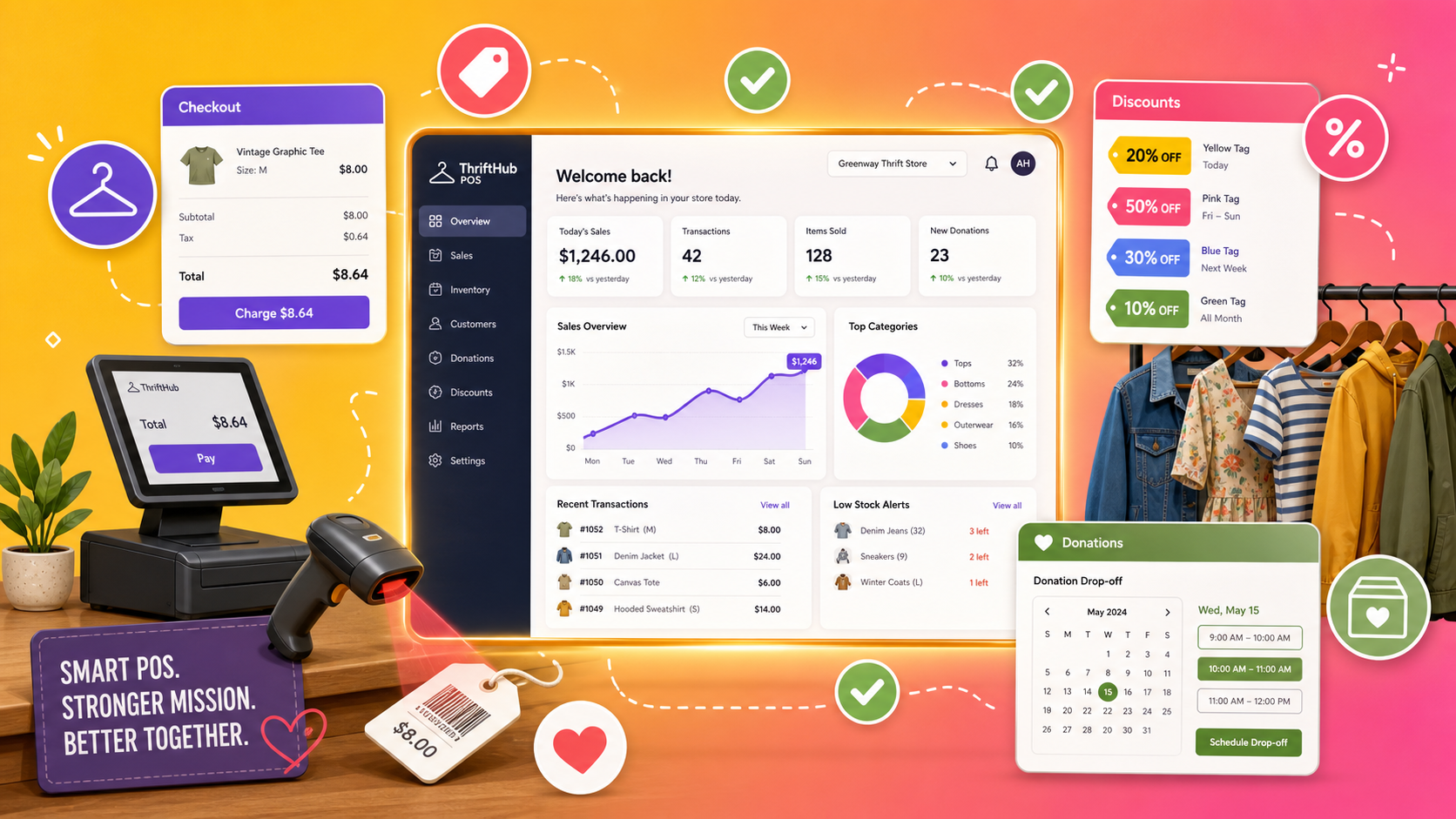

The best thrift store POS system for most stores is ThriftCart, the only major platform designed from scratch for thrift operations, with donation pickup scheduling, roundup donations, color-tag discounts and volunteer-friendly checkout. Ricochet is best for consignment shops, Lightspeed for serious retail depth, KORONA POS for processing flexibility, and Square for the smallest budgets.
Running a thrift store breaks normal retail software in a very specific way: your inventory arrives in unpredictable bursts of donated goods, and almost every item is the only one of its kind. There is no supplier catalog, no purchase order, no reorder point. As Shopify’s own guide to the category admits, features like purchase order management and supplier catalogs, the heart of standard retail POS, are largely useless when your stock comes through the donation door. What you need instead is fast intake, pricing by category, barcode tags printed on the spot, and discount rotations that keep the floor moving.
There is also a fork in the road most guides skip: donation-based stores and consignment stores need different systems. Donation stores live on pickup scheduling, donor receipts and roundup asks at the till. Consignment stores live on consignor accounts, split payouts and a portal that stops the phone ringing. This guide compares the five systems thrift and resale stores actually shortlist, what each costs, and which model each one serves. Pricing was checked in June 2026; several vendors quote custom, so confirm directly.
What is the best thrift store POS system?
ThriftCart is the best POS for most thrift stores because it was built specifically for thrift workflows rather than adapted from standard retail software, covering donation pickups, roundup donations, color-tag rotation discounts, fast barcode intake and volunteer-friendly checkout. Consignment-focused shops are better served by Ricochet.
The right pick depends on your store’s model and scale:
Best thrift store POS software compared
A side-by-side look at the five systems. Prices were checked in June 2026; treat quote-based figures as starting points.
| System | Starting price | Thrift-specific? | Best for |
|---|---|---|---|
| ThriftCart | Quote, from ~$99 / mo | Yes, purpose-built | Donation-based thrift stores |
| Ricochet | Subscription, annual contract | Yes, consignment-first | Consignment and resale shops |
| Lightspeed Retail | From ~$89 / mo | No, general retail | Multi-location and reporting depth |
| KORONA POS | Subscription, no processing lock-in | Partly, resale-friendly | Stores that want processor freedom |
| Square | Free, paid from ~$29 / mo | No, general retail | Small stores on tight budgets |
The five systems reviewed
ThriftCart, founded in 2012 and counting Habitat for Humanity ReStores among its biggest clients, is the one major system on this list that started life as thrift software rather than retail software with thrift features bolted on. That heritage shows in the workflow: donated items are added and categorized in seconds with barcodes printed on the spot, donation pickups are scheduled and routed from inside the POS, and checkout is simple enough that volunteers learn it in minutes, which matters enormously in stores staffed by rotating helpers.
Two features earn their keep in hard dollars. Color-tag rotational discounting automates the classic thrift markdown cycle that keeps the floor fresh, a feature Capterra reviewers repeatedly single out, and the roundup donation prompt at checkout is a genuine revenue lever: ThriftCart reports one store raising $200,000 in a year from roundups alone, a vendor claim, but a directionally believable one for high-traffic nonprofits. The caveats: pricing is quote-based with startup plans reported around $99 a month, its third-party app marketplace is nearly non-existent per AppIntent’s review, and its e-commerce templates are rigid.
- Purpose-built thrift workflows, not adapted retail
- Donation pickup scheduling and routing built in
- Color-tag rotation discounts automated
- Roundup donations and volunteer-easy checkout
- Quote-based pricing, less transparent
- Minimal third-party app ecosystem
- Rigid e-commerce templates
Pick it if you run a donation-based thrift store, especially a nonprofit with pickups and volunteers.
Skip it if you need a deep app ecosystem or slick custom e-commerce.
Visit ThriftCartRicochet is the pick when your inventory belongs to other people. It is consignment-first software: every item is tied to a consignor account with automatic split calculations, payout tracking and item status. Its killer feature, as AppIntent’s review puts it bluntly, is not the checkout at all but the consignor login portal, which lets consignors check their own sales and balances online and, in the reviewer’s words, saves your staff from answering the same phone call twenty times a day. Anyone who has worked a consignment counter knows exactly which call they mean.
The honest trade-offs: the POS itself is described as fine rather than exceptional, it requires an annual contract, and a purely donation-based store would be paying for consignor machinery it never uses. For consignment, buy-outright resale and hybrid stores, though, it is the strongest specialist option.
- Consignor accounts and split payouts native
- Self-serve consignor portal cuts admin calls
- Handles hybrid consignment and retail stock
- Clean, modern interface
- Annual contract required
- Checkout is solid, not standout
- Wasted machinery for donation-only stores
Pick it if consignors own your inventory and payout admin is eating your week.
Skip it if your stock is donated, ThriftCart fits that model better.
Visit RicochetLightspeed is the choice when your thrift operation has grown into a genuine retail business: multiple locations, thousands of SKUs, staff scheduling and management demanding real reporting. Its inventory engine and analytics are the strongest here, with granular sell-through, category performance and multi-store stock visibility that the thrift specialists cannot match. For a resale chain deciding which categories to expand, that data is worth paying for.
The caveat comes straight from Shopify’s assessment of the category: Lightspeed’s purchase-order and supplier-catalog machinery is built for traditional retail sourcing, which is dead weight when inventory arrives by donation. Pricing starts around $89 a month for one register at one location, and climbs with registers and locations. It is the right tool for scale, and more tool than a single donation-based store needs.
- Best reporting and analytics in this list
- Strong multi-location inventory
- Mature ecosystem and integrations
- Scales to serious retail volume
- No thrift-specific workflows
- PO and supplier tools are dead weight for donations
- Costs climb per register and location
Pick it if you run multiple stores and live in your reports.
Skip it if you are a single donation-based store, you would pay for unused machinery.
Visit LightspeedKORONA’s angle is independence. Unlike systems that lock you into their own payment processing, it is processing-agnostic, letting you shop rates between processors, a meaningful saving in a business built on high transaction counts and low average tickets, where a few basis points on every sale compounds. Its own thrift-store guidance emphasises the features resale actually uses: pricing by category for fast intake of unique items, solid employee management for mixed staff and volunteer teams, and clear reporting on category performance.
It is not thrift-born software, so there is no donation pickup scheduling or consignor accounting, and its retail generality means some configuration to fit a thrift workflow. But for an independent store that wants modern cloud POS economics without processor lock-in, it occupies a genuinely useful middle ground between the specialists and the giants.
- No payment processor lock-in
- Category pricing for fast unique-item intake
- Good employee and volunteer management
- Flat subscription, no per-sale software fees
- No donation or consignor tooling
- Needs configuring for thrift workflows
- Smaller ecosystem than the retail giants
Pick it if processing fees on high transaction volume are your biggest line item.
Skip it if you need donation pickups or consignor payouts built in.
Visit KORONA POSSquare is where many small thrift and charity shops sensibly start, and even ThriftCart’s own roundup of the category concedes its place: a genuinely free plan, hardware that costs a fraction of traditional POS setups, and an interface anyone can learn in an afternoon. For a small store or a charity shop run by a handful of volunteers, ringing sales, taking cards and seeing basic reports for essentially the cost of processing fees is a rational deal.
The limits arrive with scale and specialisation. There is no donation management, no consignor accounting, no color-tag rotation automation, and item-level tracking of thousands of unique donated pieces gets manual fast. The pattern that works: start on Square while volume is small, and graduate to ThriftCart or Ricochet when donations, pickups or consignors start generating real admin.
- Free plan, cheap modern hardware
- Fastest setup of anything here
- Easy for volunteers to learn
- Fine for small charity shops
- No donation or consignment features
- Manual work grows with unique inventory
- Processing locked to Square’s rates
Pick it if you are small, budget-first, and need to be selling this week.
Skip it if pickups, consignors or markdown rotations are part of your daily reality.
Visit SquareDonation store or consignment store: which system fits?
Donation-based stores should choose thrift-first software like ThriftCart, built around pickups, donor receipts, roundup asks and volunteer checkout. Consignment stores should choose consignor-first software like Ricochet, built around split payouts and self-serve consignor portals. Hybrid stores should pick based on which side generates more daily admin.
This is the fork that should decide your shortlist before any feature comparison. A donation store’s operational load sits at intake and logistics: scheduling pickups, routing trucks, receipting donors, pricing bursts of stock and rotating markdowns to keep the floor moving. That is precisely the machinery ThriftCart automates. A consignment store’s load sits in accounting: who owns what, what split applies, what is owed, and the constant status inquiries that Ricochet’s portal turns into self-service.
Hybrid stores, part donated, part consigned, should audit a normal week and count where the admin hours actually go. If your staff spend more time fielding consignor calls than managing donation flow, buy for consignment and handle donations simply. If pickups and pricing dominate, buy for thrift. Buying for the smaller half of your business is the expensive mistake in this category.
What features matter most in a thrift store POS?
The essentials are fast unique-item intake with on-the-spot barcode printing, pricing by category, color-tag or rotational discounting, simple volunteer-friendly checkout, and solid category reporting. Donation stores add pickup scheduling and roundup prompts; consignment stores add consignor accounts and payout tracking.
Use this as your demo checklist:
Intake speed for one-of-a-kind items
Every donated item is unique, so the seconds it takes to categorize, price and print a tag multiply across thousands of pieces a week. This single workflow decides whether the back room keeps up with the donation door.
Pricing by category
Nobody prices a donated mug individually. Category pricing, all mugs $1.99, all jeans $6.99, is how thrift intake stays fast, and it should flow straight into tags and reporting.
Color-tag rotation discounts
The classic thrift cycle, this week’s yellow tags at 50% off, clears aging stock automatically and trains bargain hunters to return weekly. Automating it, as ThriftCart does, removes a permanent manual chore.
Checkout a volunteer can learn in minutes
Thrift stores run on rotating staff and volunteers. If training takes days, every new helper costs you; the checkout screen should be learnable in one shift.
Roundup and donor tools for nonprofits
A roundup prompt at the till converts spare change into meaningful annual revenue, and donor receipting keeps supporters happy at tax time. If you are a nonprofit, these belong in the POS, not on paper.
How much does a thrift store POS system cost?
Thrift store POS software typically costs $50 to $100 a month for basic plans and $200 to $400 for full-featured ones, per ThriftCart’s own buyer guidance, with some vendors charging per register and others per location. Square starts free, Lightspeed from about $89 a month, and specialist quotes commonly start near $99 a month.
Watch three cost mechanics. First, the per-register versus per-location split: a store with four tills gets very different bills from the two models, so price your actual counter setup. Second, payment processing: bundled processors are convenient but rarely the cheapest, and in a high-transaction, low-ticket business the rate matters more than the software fee, which is KORONA’s whole argument. Third, hardware: barcode label printers are the thrift-specific extra, since tagging donated stock is constant, alongside the usual terminals and scanners.
Set against those costs, the revenue features pay real money: automated markdown rotations move stale stock, roundup prompts add donation income, and faster intake means more of the donation pile actually reaches the floor. Model the full picture, and confirm current pricing with each vendor, since several quote custom.
Which should you choose?
For most thrift stores, ThriftCart is the best POS. It is the one system on this list built for the actual shape of thrift work, donations arriving in bursts, volunteers on the till, markdown rotations and roundup asks, rather than retail software wearing a thrift costume.
Choose Ricochet if consignors own your inventory, its portal alone justifies the subscription. Choose Lightspeed if you have grown into a multi-location operation that lives on reporting. Choose KORONA if processing fees on heavy transaction volume are your biggest lever. And start on Square if you are small and need to be trading this week, knowing which specialist you will graduate to.
Whichever you shortlist, run your real workflow in the demo: intake and tag twenty mixed items, run a color-tag discount, process a roundup donation or a consignor payout. The system that does it without a workaround is the right one.
Frequently asked questions
Donation-based thrift stores most commonly use thrift-specific systems like ThriftCart, which handles donation pickups, category pricing, color-tag discounts and volunteer-friendly checkout. Consignment shops typically use consignment-first platforms like Ricochet, while smaller stores often start on general systems like Square and upgrade as volume grows.
Yes, and many small thrift and charity shops start there because of its free plan and fast setup. The limits arrive with scale: Square has no donation pickup scheduling, consignor accounting or automated color-tag rotations, and tracking thousands of unique donated items becomes manual. Most growing stores graduate to a thrift-specific system.
Basic plans typically run $50 to $100 a month, with full-featured plans at $200 to $400, and some vendors charging per register rather than per location. Square starts free, Lightspeed from around $89 a month, and thrift specialists like ThriftCart quote custom with startup plans reported near $99 a month.
Through fast category-based intake: items are assigned to a priced category, given an on-the-spot barcode tag, and removed from stock when the tag is scanned at sale. Thrift-specific systems like ThriftCart optimise this workflow so donated goods move from the back room to the floor in seconds per item.
Color-tag discounting rotates markdowns by tag colour, for example all yellow tags 50% off this week, so older stock clears automatically and regular shoppers return to hunt each week’s colour. Thrift-first POS systems automate the rotation, applying the correct discount at the till without staff memorising the schedule.
Yes. Consignment stores need consignor accounts, automatic split calculations, payout tracking and ideally a self-serve consignor portal, which platforms like Ricochet provide. Donation-based thrift stores need pickup scheduling, donor receipts and roundup tools instead, which is ThriftCart’s territory. Hybrid stores should buy for whichever side creates more daily admin.
- Shopify, “6 Best POS Systems for Thrift Stores (2026 Guide),” shopify.com, 2026.
- AppIntent, “The 5 Best Thrift Store POS Software Systems for 2026,” appintent.com, 2026.
- KORONA POS, “Best POS System For a Thrift Store (Top 5 Point of Sale Solutions),” koronapos.com, 2026.
- ThriftCart, “What’s the Best POS System for Thrift Stores? 13 Top Picks” and “Choosing a Thrift Store POS System: 7 Things To Consider,” thriftcart.com, 2025–2026.
- Capterra, ThriftCart user reviews, capterra.com, accessed June 2026.
- Vendor product pages for ThriftCart, Ricochet, Lightspeed, KORONA POS and Square, accessed June 2026.